 Spark Prime Network blog news
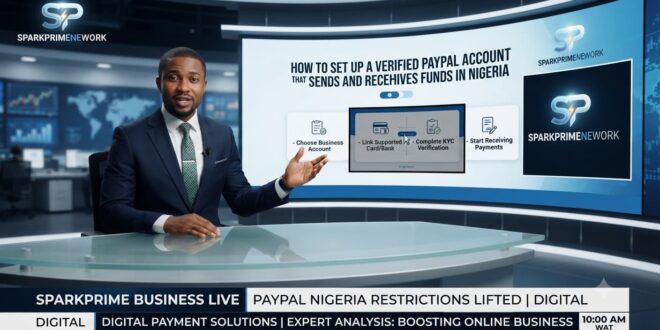
Navigating online transactions, freelancing, and digital businesses from Nigeria often comes with a major roadblock: How to create a verified PayPal account in Nigeria. For years, standard Nigerian accounts were strictly restricted to sending money and shopping online, leaving many remote workers and business owners looking for secure workarounds.
If you want to avoid sudden account restrictions and set up your account safely, this practical guide details how to establish and verify your access.
Step 1: Avoid Fake Regions and VPNs on How to create a verified PayPal account in Nigeria
The biggest mistake people make is using a VPN to fake a U.S., UK, or UAE account. PayPal’s security algorithms are extremely advanced and will quickly flag mismatched IP addresses and foreign locations, leading to an immediate and permanent ban.
-
The Right Move: Stick to legitimate registration options through official portals or regional configurations that match your actual residential footprint. Ensure you use your real legal name and details matching your official identification documents.
Step 2: Choose a Business Account Profile
If your goal is to accept online payments, send invoices to international clients, and handle business transactions, ensure you register as a Business Account rather than a standard Personal account. Business options provide broader merchant tools and invoicing features tailored for commercial use.
Step 3: Link a Supported Card for Verification on How to create a verified PayPal account in Nigeria
To lift transaction limits and verify your financial identity, PayPal requires you to link a debit or credit card.
-
Because standard local Naira cards often face international transaction caps or restrictions, many users rely on supported USD virtual prepaid cards or specialized international banking cards provided by established fintech platforms.
-
The 4-Digit Code: When you link your card, PayPal will make a small temporary charge (typically around $1.95). Check your bank statement or transaction notification for that specific charge, where a 4-digit code will be attached (e.g., PP*1234CODE). Enter this code back into your PayPal dashboard to complete verification.
Step 4: Complete Identity Verification (KYC)
As your account activity grows, you may be required to pass standard Anti-Money Laundering (AML) checks. To clear these checks smoothly:
-
Submit a valid government-issued ID (such as a Nigerian International Passport or a plastic National ID card).
-
Provide a clear proof of address, such as a recent utility bill or official bank statement matching your registered details.
📺 Watch & Learn: Visual Guide on How to create a verified PayPal account in Nigeria
To watch a step-by-step walkthrough of setting up and managing digital accounts securely, check out this video resource:
-
Title: PayPal Nigeria Full Guide: How To Create Nigeria PayPal Account & Recieve Money Globally. NO VPN
-
Channel: Digital Quill
-
Title: How to create a verified PayPal account in Nigeria That Can Send And Receive Funds In Nigeria.
-
Channel: Business With Femi
-
Title: How To Create A PAYPAL Account in Nigeria: Send & Receive Funds
-
Channel: Ayodele Julius
Disclaimer: Financial platforms update their compliance terms and regional features regularly. Always consult official platform guidelines or a professional financial advisor before executing high-value online transactions.